課金
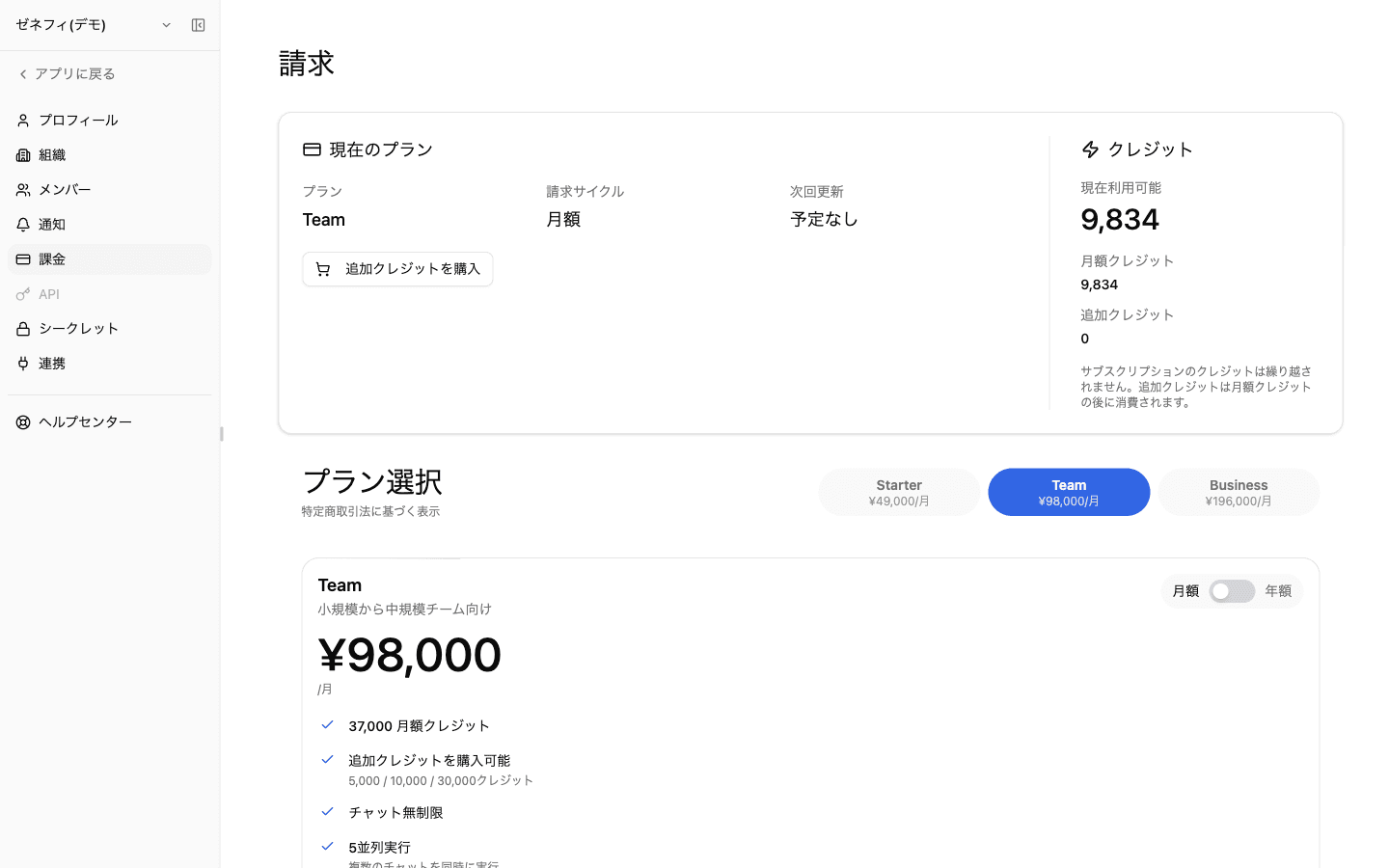
Zemu の課金は「ダッシュボード(クレジット消費の見える化)」と「設定→請求(プラン管理)」の2画面構成で、AIワーカー実行・モデル呼び出し・外部ツール呼び出しの全てがクレジットで支払われます。詰まりやすいのは『月額クレジットは繰り越されない』『追加クレジットは月額クレジットの後に消費される』『次回更新が「予定なし」でも当月は使える』という挙動です。
概要
ダッシュボード(消費追跡)と請求設定(プラン管理)の役割分担、月額付与クレジットが繰り越せない仕様、追加クレジットの位置づけ、プラン変更後の反映タイミングなど、課金で詰まりやすい構造を整理します。
基本
ダッシュボード — 消費の見える化
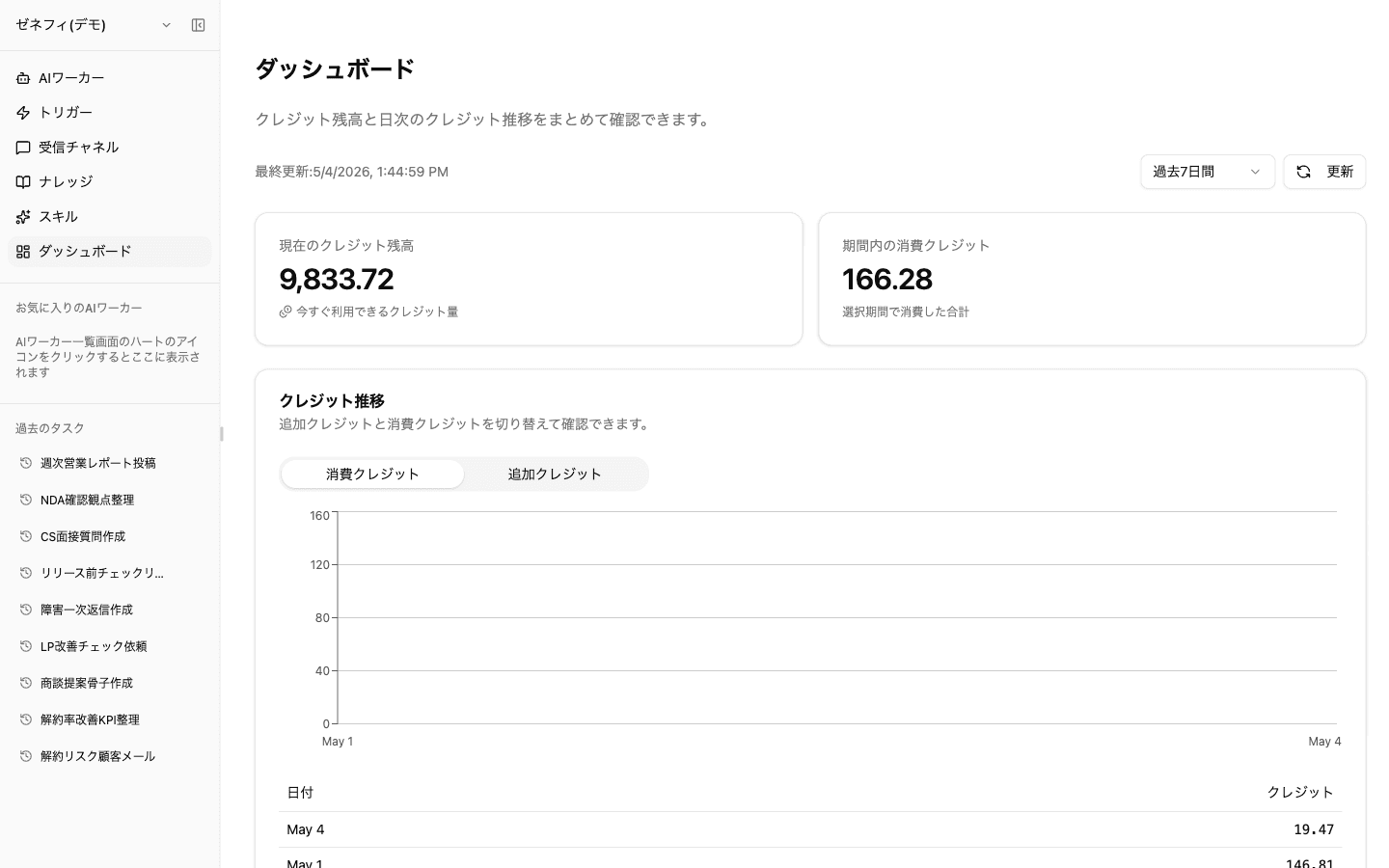
ダッシュボード(/dashboard)はクレジット 消費 を追跡する画面です。
- 現在のクレジット残高(Current Credits):今すぐ使える残高
- 期間内の消費クレジット(Credits Used Period):選択期間で消費した合計
- 期間フィルター:過去7日間/過去30日間 など
- クレジット推移チャート:消費クレジット/追加クレジット をタブで切り替え。日別テーブルで各日の消費量を確認可能
「最近 Zemu の動作が遅い/止まる」と感じたら、まずここで消費が急増していないかを確認します。残高が薄い時はトリガーや受信チャネル経由の自動実行が止まる原因になります。
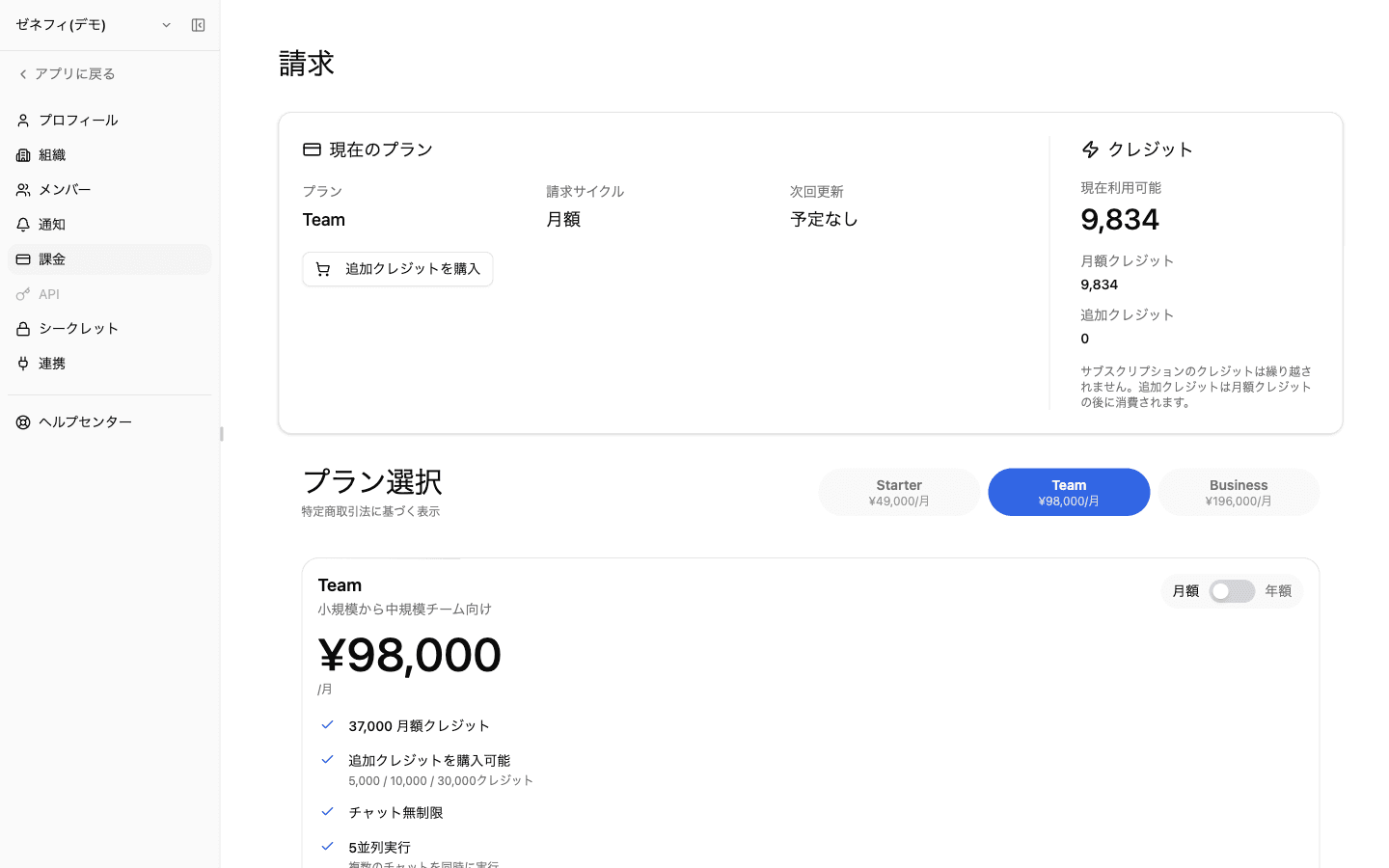
請求設定 — プラン管理画面で確認・変更できること
請求設定(/settings/billing)はプラン 管理 の画面です。
ここで確認・操作できる主な情報:
- 現在のプランと請求サイクル(月額)
- 次回更新日 と予定されたダウングレード/キャンセル
- 月額クレジット と 追加クレジット の現在残高
- プラン選択(Starter / Team) の切替
- Manage Subscription(請求ポータル)と Buy Additional Credits(追加購入モーダル)
各プランの料金・付与クレジット数・並列実行数は /settings/billing のプラン選択カードに表示されている内容を確認してください。
クレジットの2階層と消費順(月額 → 追加 の順で消費)
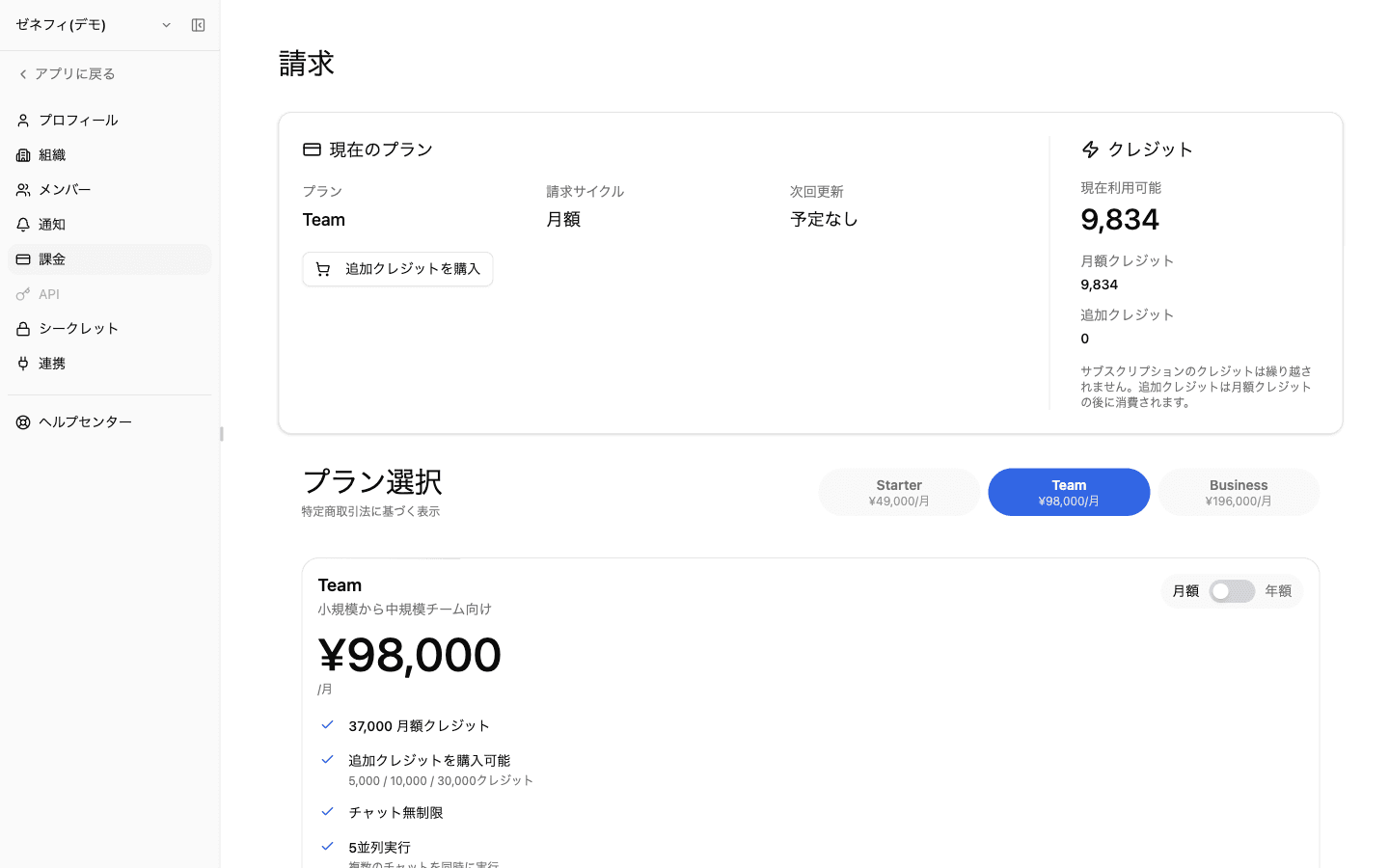
クレジットは 2種類 に分かれます。
- 月額クレジット(Monthly Credits):プラン契約で毎月付与される分。翌月に繰り越されない(画面上の注記:Subscription credits do not carry over.)
- 追加クレジット(Additional Credits):請求設定の「追加クレジットを購入」から買い足す分。月単位の繰り越しに縛られない(プランごとの有効期限ルールに従う)
消費順序:月額クレジットを先に使い切ってから、追加クレジット が消費されます。月の終盤に余った月額分は失効するため、月初に大型ワーカー実行を集中させるより、追加クレジット購入で底上げするほうが運用上有利な場合があります。
請求設定の右側カードには「現在利用可能」「月額クレジット」「追加クレジット」の3つの数値が並ぶので、月額がどれだけ残っているか、追加分をいくら積んでいるかをここで把握します。
「次回更新: 予定なし」と支払い反映タイムラグ
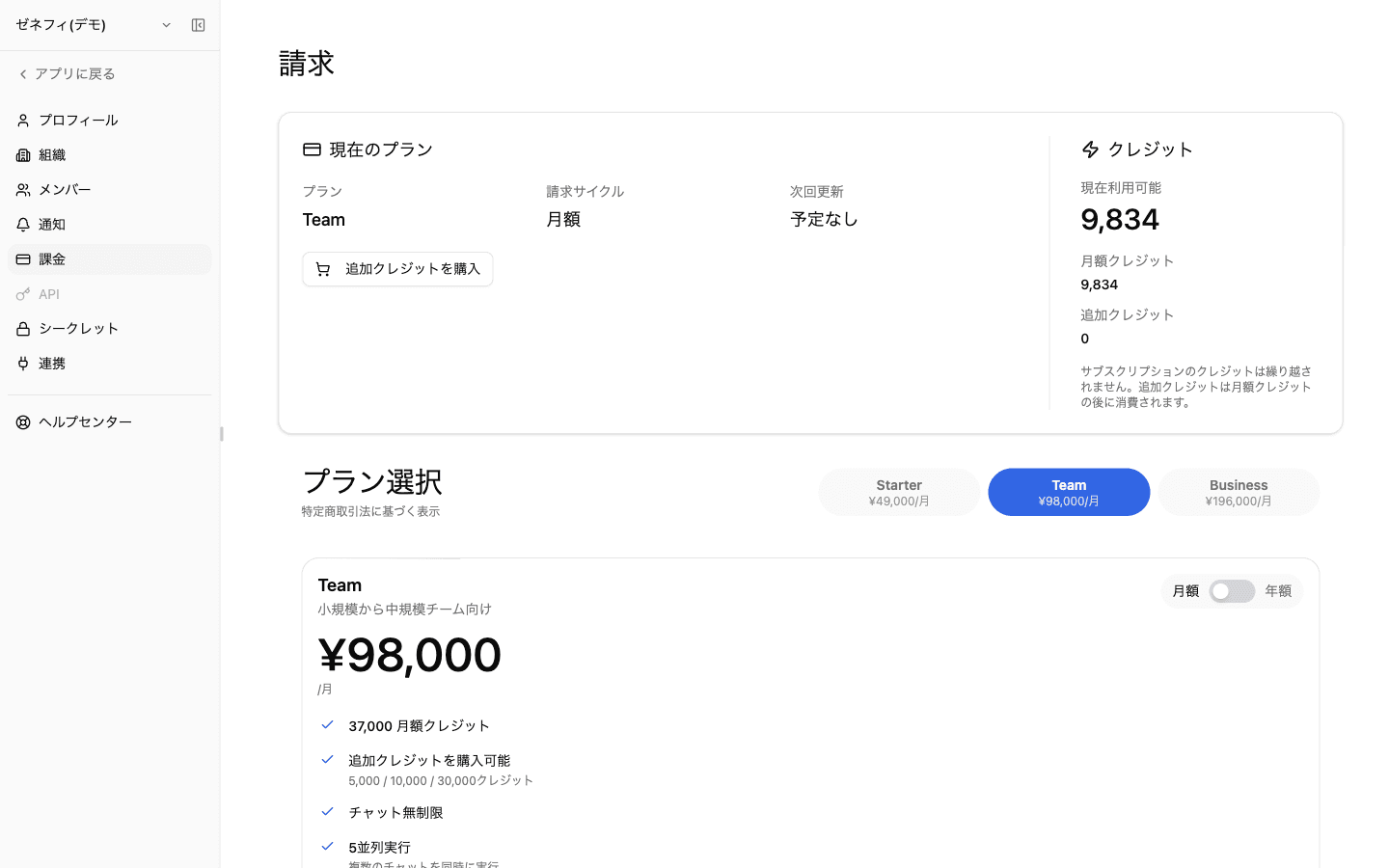
請求設定で要注意な表示:
- 次回更新: 予定なし:自動更新が設定されていない状態。当月分のクレジットは使えるが、月末で月額クレジットが切れる前に Manage Subscription で更新を予定しないと、翌月の月額クレジットが付与されない
- 予定されたダウングレード/キャンセルがある場合は専用カードに有効日が表示される — 有効日まではフル機能で使える
プラン変更・追加購入の 支払い反映タイムラグ :
- Checkout 成功 → アプリ画面に反映されるまで数秒〜数十秒のセッション同期がある
- 反映されない場合は (1) ブラウザリロード (2) 請求ポータルでの契約状態確認 (3) 予定変更の有効日 を順に確認
プラン上限の例:プロジェクト数 / スレッド数 / AIワーカー数 / スケジュールトリガー数 / アプリトリガー数 / カスタムMCP数 などにそれぞれ上限があり、超えると追加できなくなります。実行ブロック時はクレジット残高だけでなくこれらの上限も疑ってください。
確認ポイント
ダッシュボードで Current Credits / Credits Used の推移を確認し、急増が無いか把握していますか?
「月額クレジットは繰り越されず、追加クレジットは月額の後に消費される」消費順を理解した上で運用していますか?
次回更新が「予定なし」になっていないか、プラン変更後に反映遅延が無いか、月末/支払い後にダブルチェックしていますか?