スキル
スキルは、AIワーカーに「再利用可能な作業手順」を追加する仕組みです。詰まりやすいのは (1) ビルトインスキルの全体像が把握しにくい、(2) スキル自身を作る/編集する『メタスキル』が同居している、(3) カスタム化の3導線(チャット/アップロード/GitHub)の使い分け、(4) Workflow Skill とトリガーの関係、の4点です。
概要
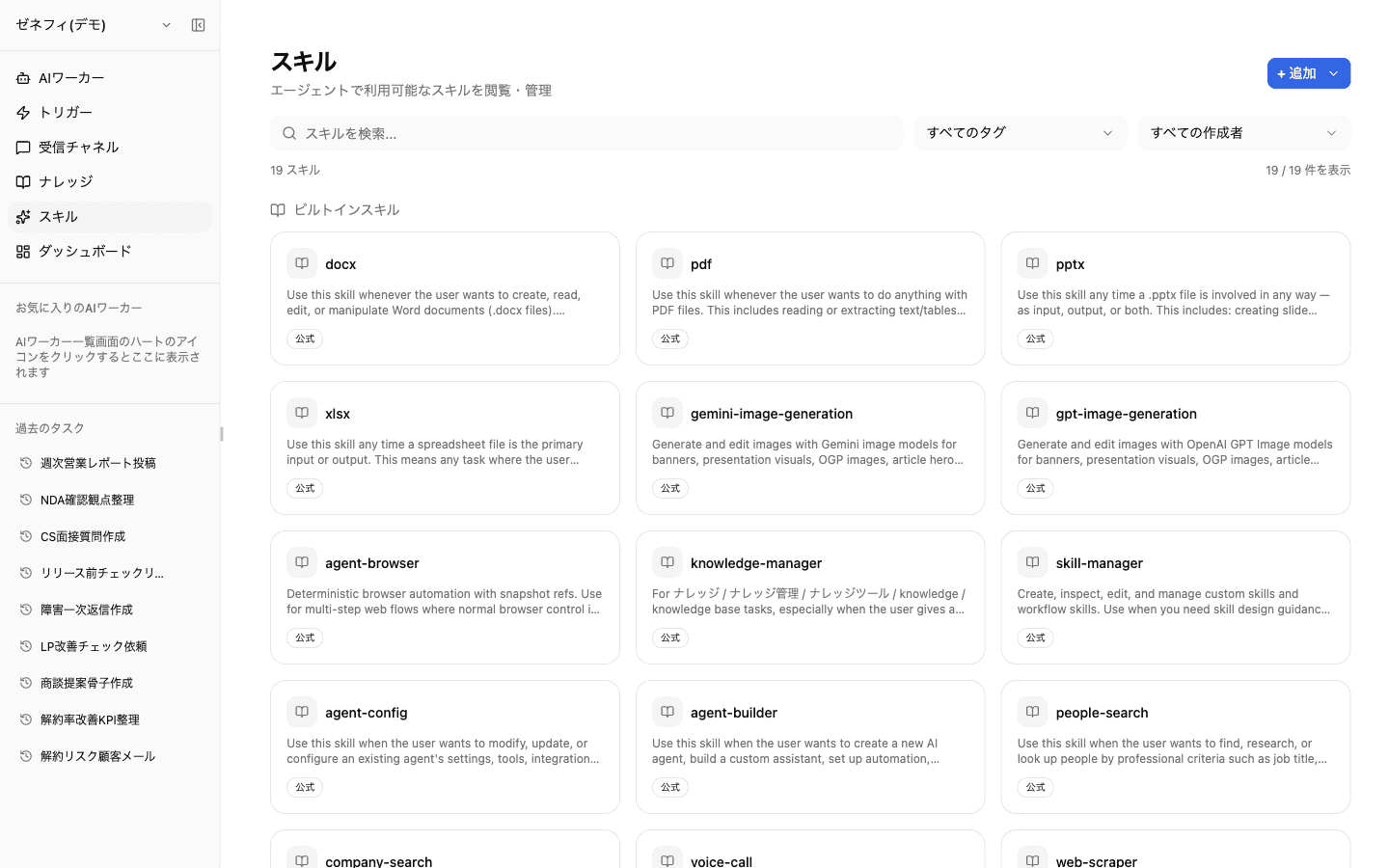
公式ビルトインスキルの内訳、メタスキル群(agent-builder / skill-manager 等)、カスタムスキルの3導線、Workflow Skill の特殊性など、運用で詰まりやすいスキルの仕組みを整理します。
基本
公式ビルトインスキル
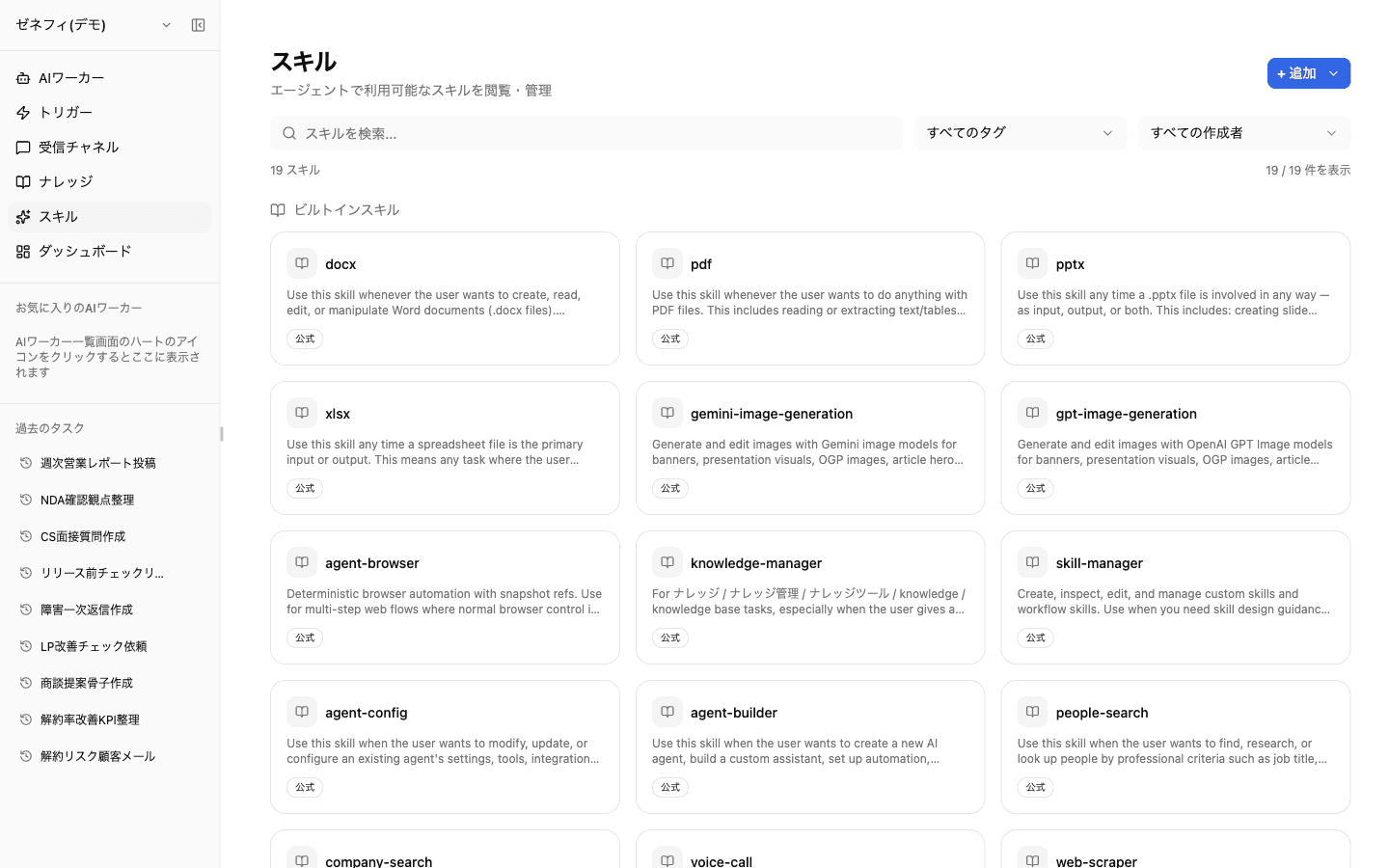
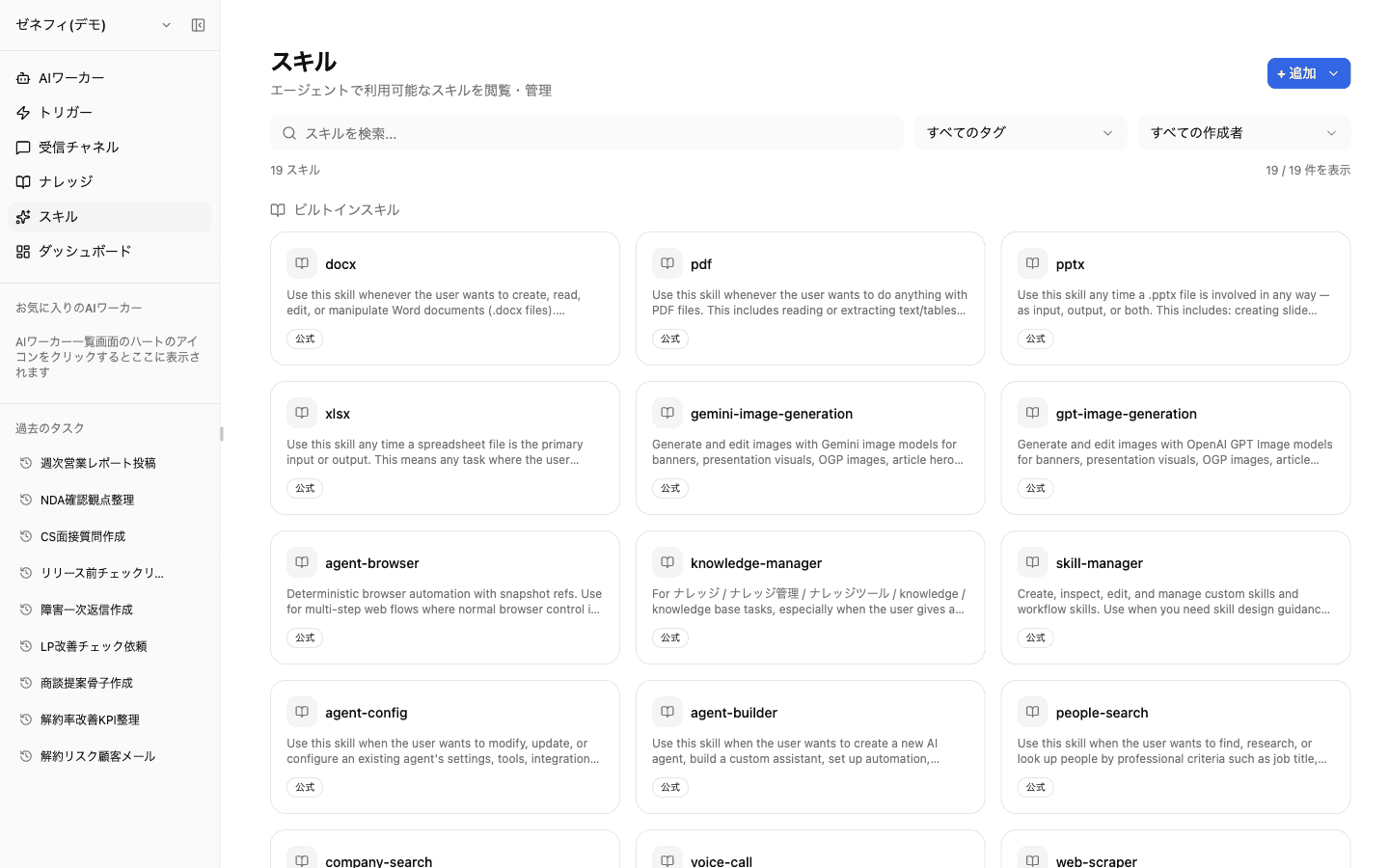
ダッシュボードの スキル 画面には、Zemu が用意する公式(ビルトイン)スキルが並びます(バッジに「公式」と表示)。役割で大別すると次のとおりです。
- ファイル操作系:
docx/pdf/pptx/xlsx - 画像生成系:
gemini-image-generation/gpt-image-generation - エージェント運用系(メタスキル):
agent-builder/agent-config/skill-manager/knowledge-manager - 検索・調査系:
people-search/company-search/web-scraper - 音声・コミュニケーション系:
voice-callほか
新規ワーカーには既定のスキルが有効化され、作成後にワーカーごとに追加・解除できます。スキル一覧は検索/タグ/作成者でフィルタできます。
メタスキル群が「自身を変える」役割を持つ
ビルトインスキルの中でも agent-builder / agent-config / skill-manager / knowledge-manager の4つは、Zemu 自身を構成変更するための「メタスキル」です。
- agent-builder:新規ワーカーの作成(指示文・スキル割当・連携を含む)
- agent-config:既存ワーカーの設定変更
- skill-manager:カスタムスキルの作成・検査・編集
- knowledge-manager:ナレッジツリーの読み書き
これらを有効化したワーカーは、自然言語で「新しいワーカーを作って」「このスキルを編集して」と頼むだけで Zemu の構成を変更できます。逆に、メタスキルを有効化していない一般ユーザー向けのワーカーでは、Zemu 自体の改変ができません — 権限を絞りたい場合の設計指針として使えます。
カスタムスキル作成の3導線
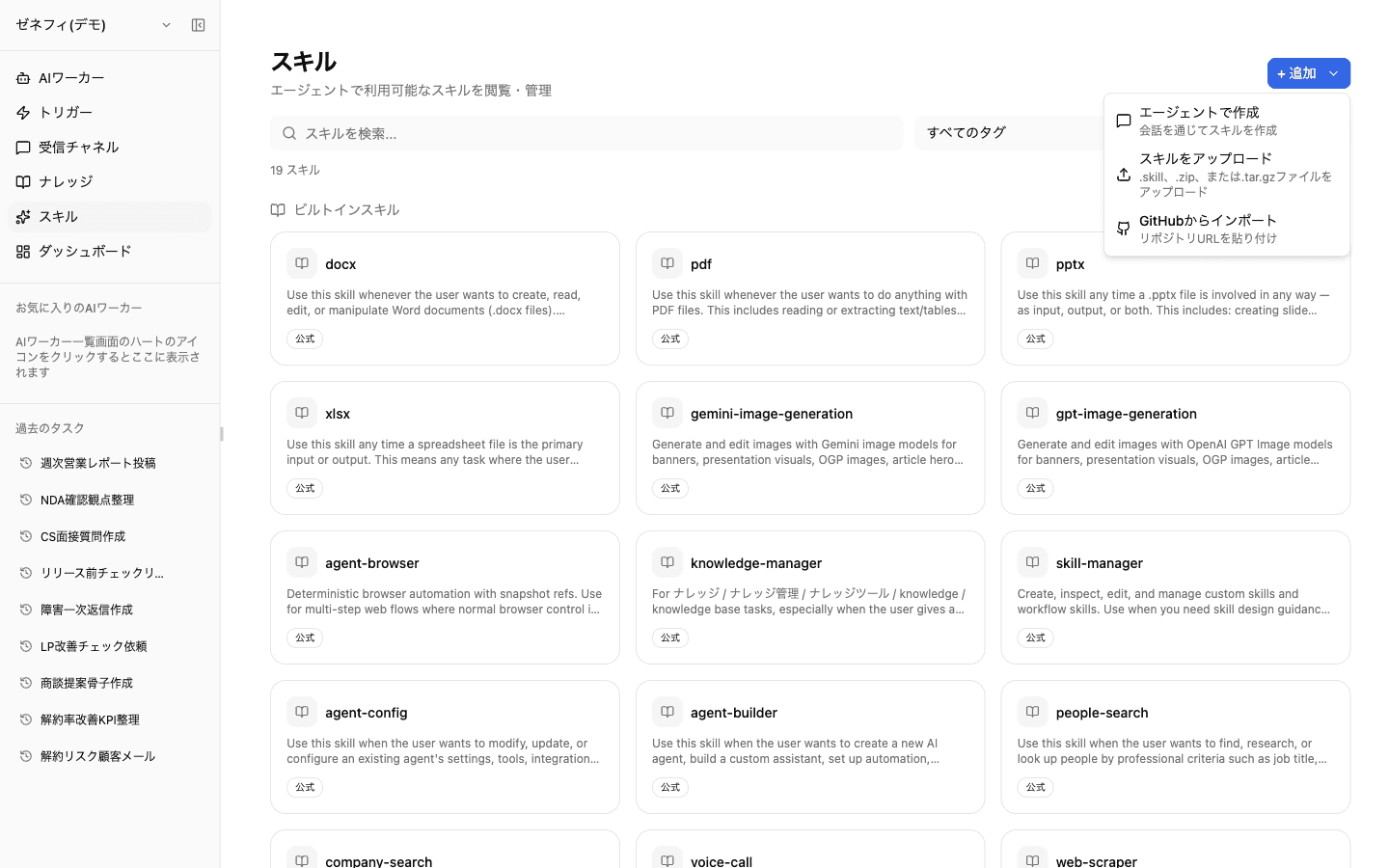
右上の + 追加 メニューから、カスタムスキルを作る経路は3つあります。
- エージェントで作成:チャットでZemuに『〇〇という業務手順をスキル化したい』と頼むと、
skill-managerを持つワーカーが SKILL.md やワークフロー定義を生成して保存 - スキルをアップロード:
.skill/.zip/.tar.gz形式のスキルパッケージをアップロード(既存スキルの移植や、別環境からの取込み向け) - GitHubからインポート:リポジトリURLを貼り付け、
SKILL.mdを含むディレクトリをそのままスキルとして取込み
業務固有の手順をチームで再利用したい場合は、まずチャットで叩き台を作り、GitHub に管理を移す運用が一般的です。
Workflow Skill — トリガーから「丸ごと走る」スキル
通常スキルは「ワーカーが必要なときに部分的に呼び出す」のに対し、Workflow Skill は「あらかじめ決めた手順をワーカーが丸ごと実行する」スキルです。
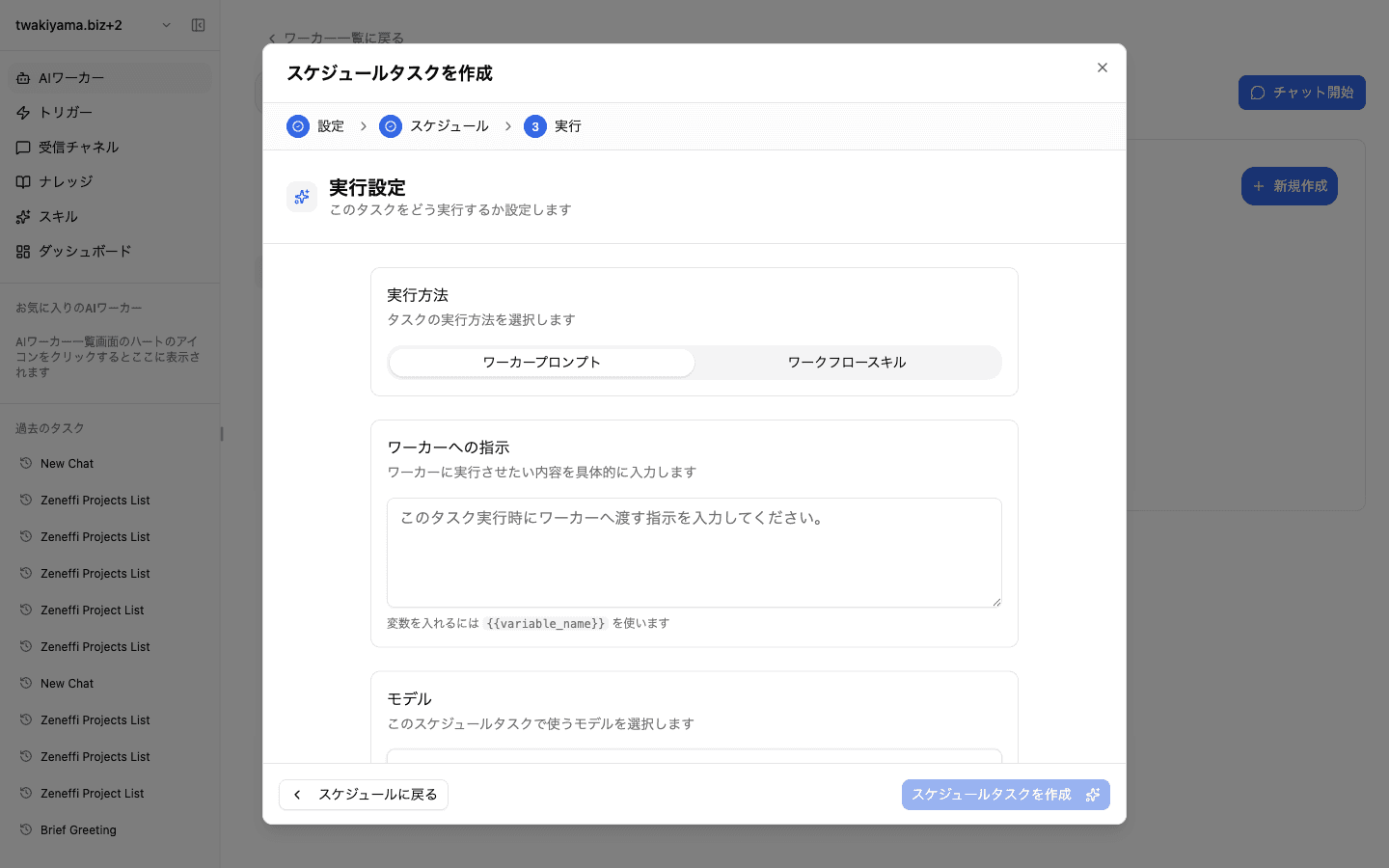
スケジュールトリガーの実行方法トグルで workflow_skill を選ぶと、トリガー時刻に Workflow Skill が選択され、定義された手順を頭から順に実行します(プロンプトを渡す agent_prompt モードとは別物)。
判断基準は「実行内容が毎回違うか/いつも同じか」。
- 手順が固定 → Workflow Skill にしてトリガーから呼ぶ。スキル本体を更新すれば全トリガーに反映される(保守が楽)
- 入力が毎回違う → 通常プロンプト(
agent_prompt)でトリガーから渡し、ワーカーが解釈して動く
「同じ Workflow Skill を週次レポートと月次レポートで再利用する」のように共有したい場合は、Workflow Skill 側を1つにして、トリガー側で対象期間などのパラメータを渡す形が運用しやすいです。
確認ポイント
そのワーカーのスキルタブで、有効化しているスキルを全部挙げて、用途を説明できますか?
メタスキル(
agent-builderagent-configskill-managerknowledge-manager)を持つワーカーと、持たないワーカーの境界は意図通りに引けていますか?定型作業を自動化したいとき、Workflow Skill にするか通常プロンプトにするか、判断基準を持って選んでいますか?