Triggers
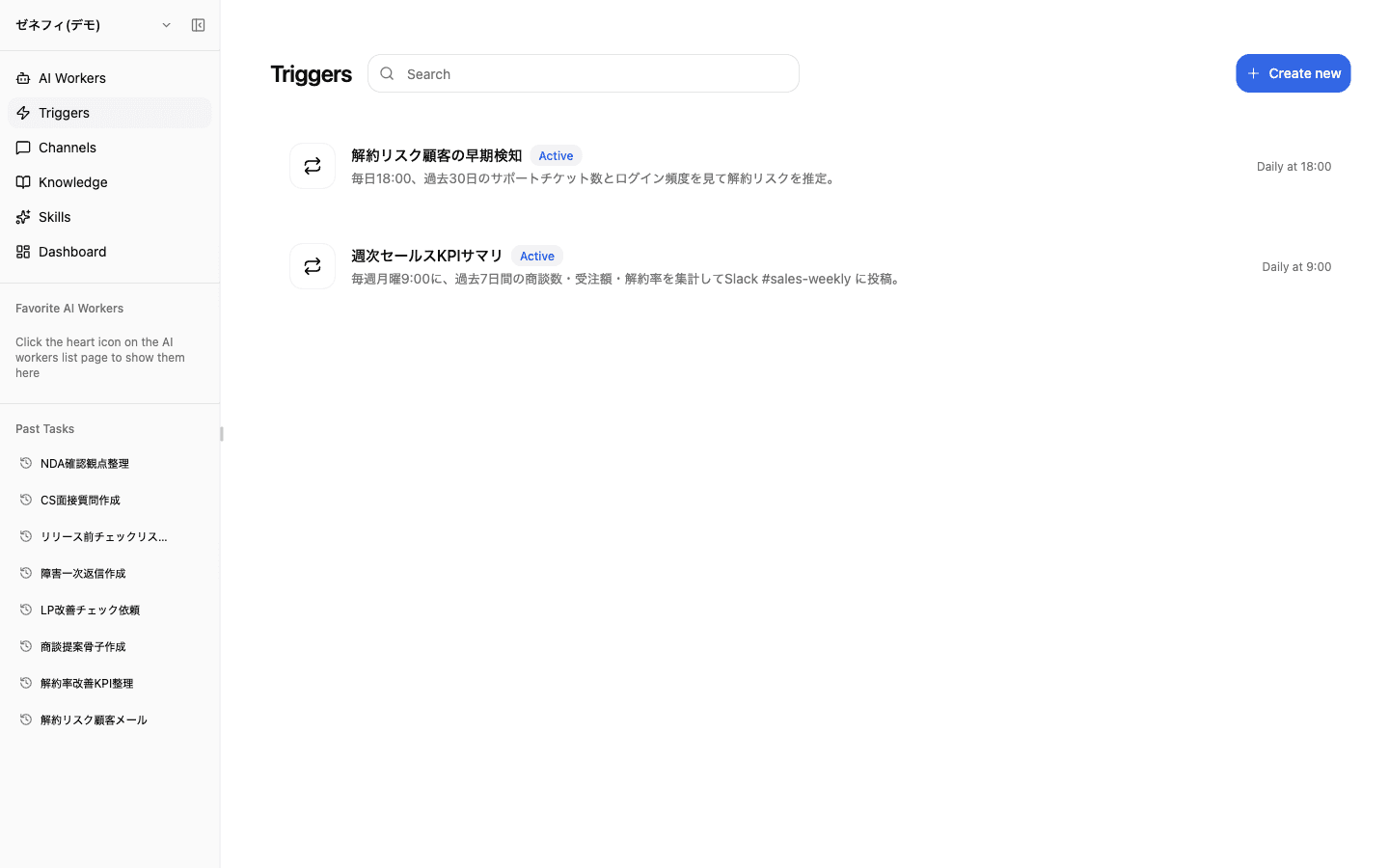
Triggers start AI workers from a fixed time or an external event. Zemu has two kinds — Scheduled Trigger and Event-based Trigger. Slack / Discord / LINE WORKS messages from real humans are not triggers; they live under Inbound Channels. The two pitfalls people hit first: getting the timezone wrong, and not knowing how notification destinations are resolved.
Overview
Two trigger types, schedule modes plus the timezone trap, the snapshot a trigger keeps, and how notification destinations are resolved across three layers.
Basics
Two trigger types (schedule vs event)
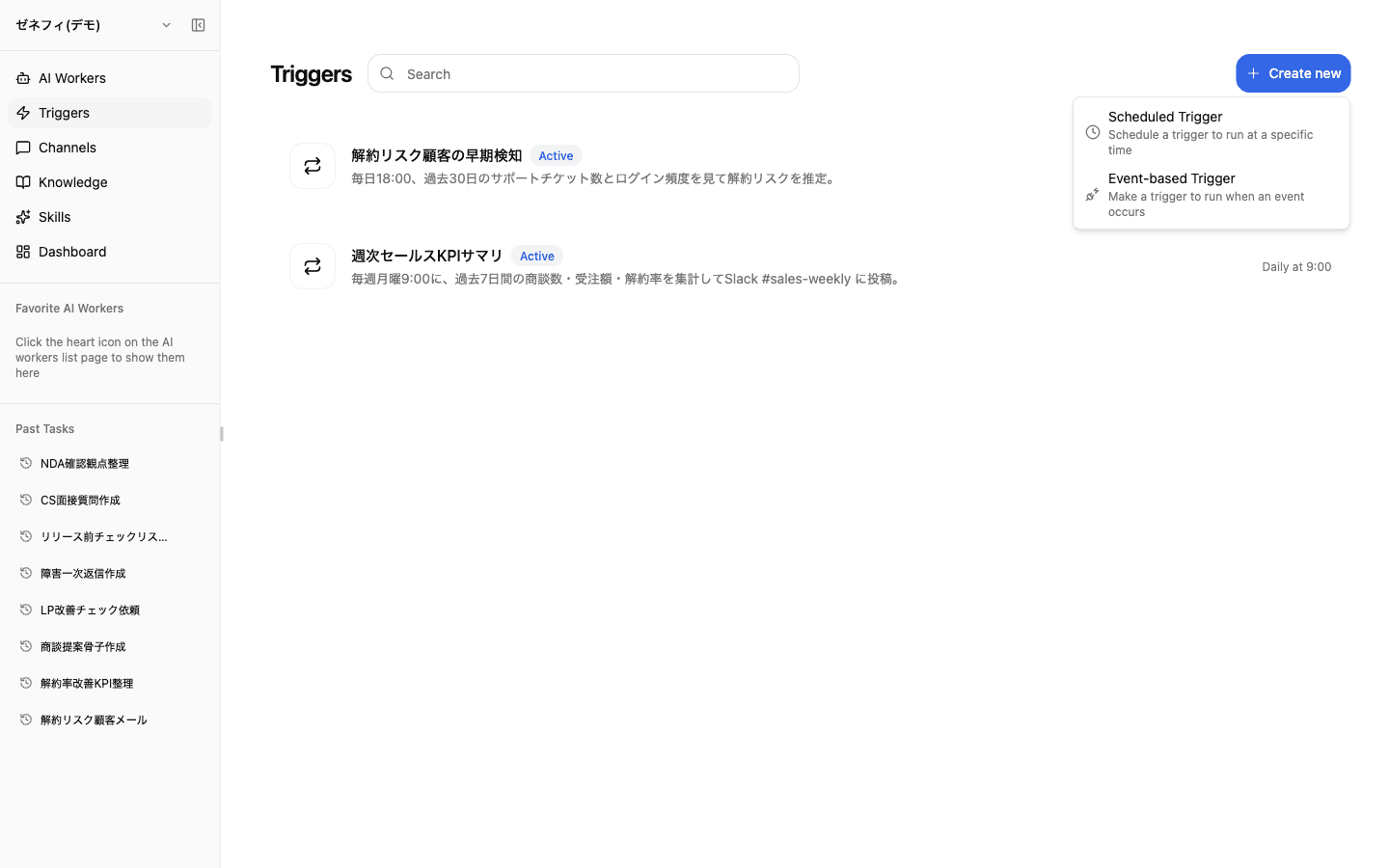
The Create new menu offers exactly two kinds.
- Scheduled Trigger — runs at a specified time (cron / recurrence / one-time)
- Event-based Trigger — runs when a Composio OAuth event fires (GitHub PR opened, Stripe
invoice.paid, etc.)
Slack mentions, DMs, and channel posts are not configured here. They are part of Inbound Channels (/channels). Looking for them in Triggers is the most common reason people get stuck.
Schedule modes and the timezone trap
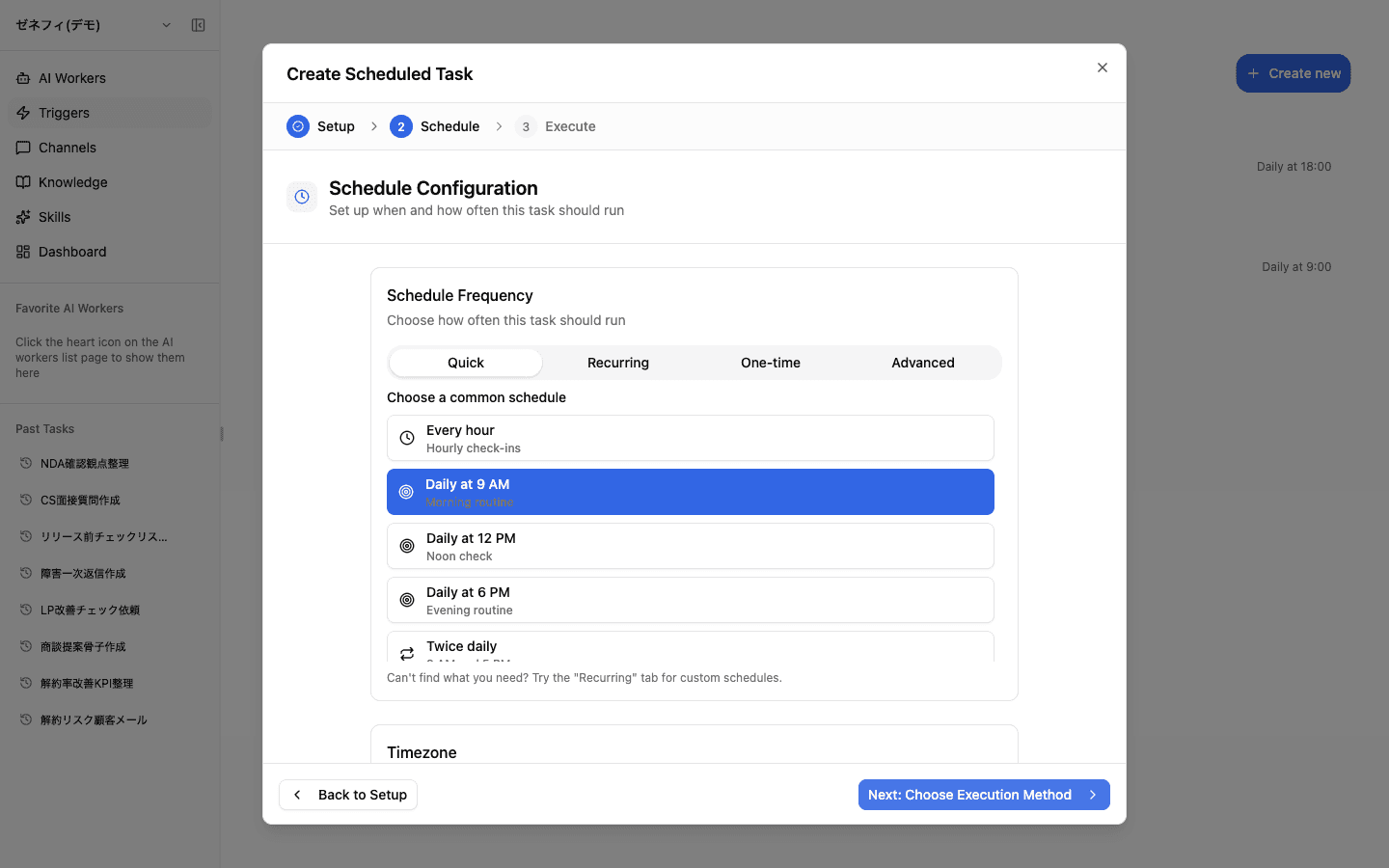
The schedule step has four frequency modes.
- Quick: pick from common slots — Every hour / Daily 9 AM / 12 PM / 6 PM / Twice daily
- Recurring: daily, weekly, or monthly form
- One-time: a single specific date and time
- Advanced: enter a cron expression directly. Minimum interval is 1 hour —
*/5 * * * *is rejected.
If you do not set a Timezone explicitly, the trigger may fire at unintended times. Match it to the account timezone or to other triggers on the same worker; do not silently fall back to local or UTC.
A trigger holds a snapshot of how it was created
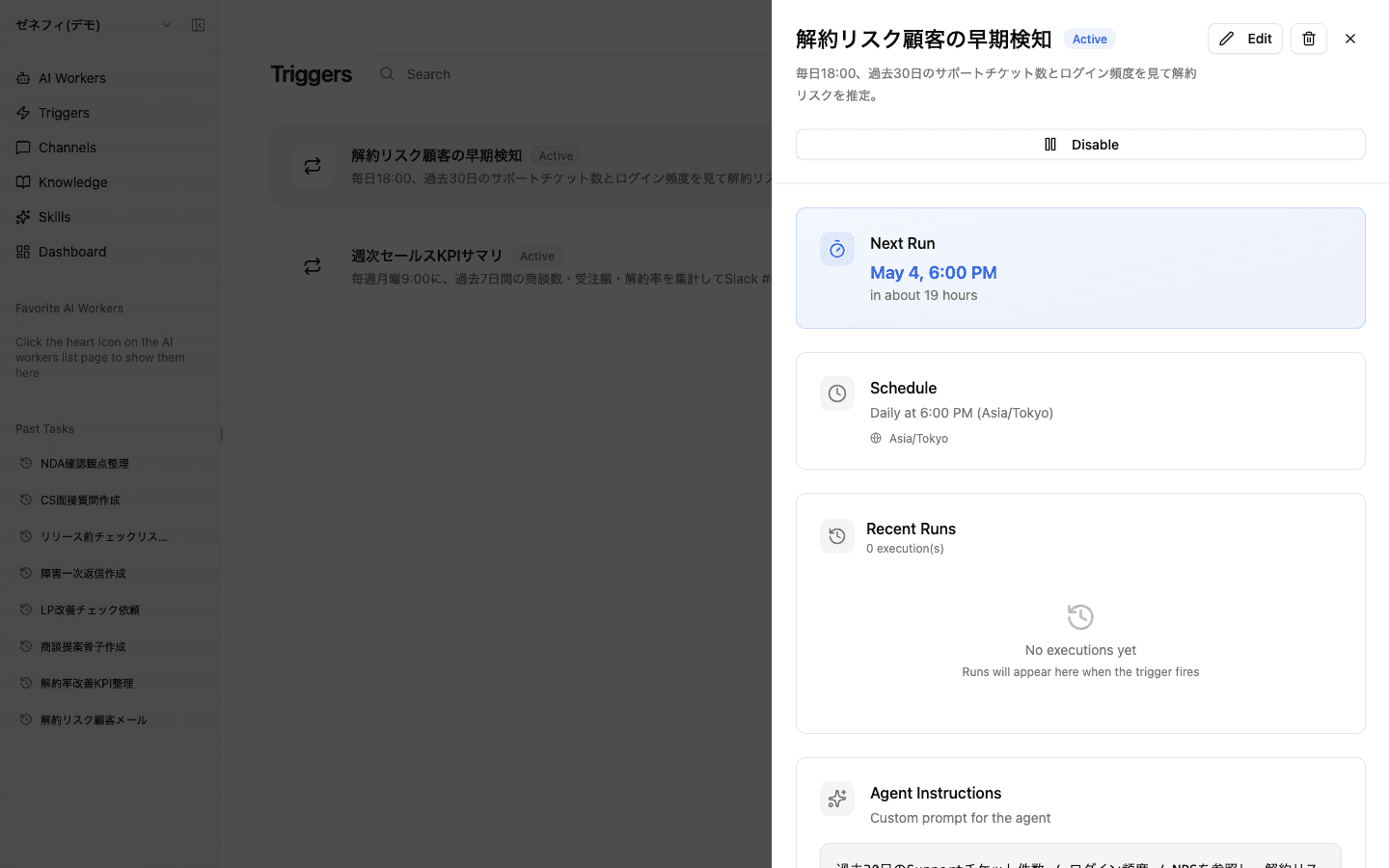
The trigger detail panel shows Next Run, Schedule (with timezone), Recent Runs, and Agent Instructions (the custom prompt).
Key property: each trigger keeps a snapshot of the prompt and model from when you created or last edited it. Changing the worker's system prompt later does not update the trigger's custom prompt automatically. Notification destinations behave differently: an explicit per-trigger override is stored on the trigger, while an unspecified destination follows the executor's current personal settings.
When a trigger misbehaves, walk this order: start condition → agent instructions → integration permissions → referenced knowledge → notification destination. Running the same instruction manually first usually narrows the failure quickly.
Notification destinations: trigger override, then personal default
When a trigger is created from a Slack, Discord, or LINE WORKS chat with the worker, the originating channel is saved as that trigger's initial override. A later edit replaces that initial value; it is not a separate priority layer.
At execution time, notification settings resolve in two steps:
- Per-trigger override: anything saved for this trigger, whether initialized from the originating channel or explicitly set in the create/edit dialog.
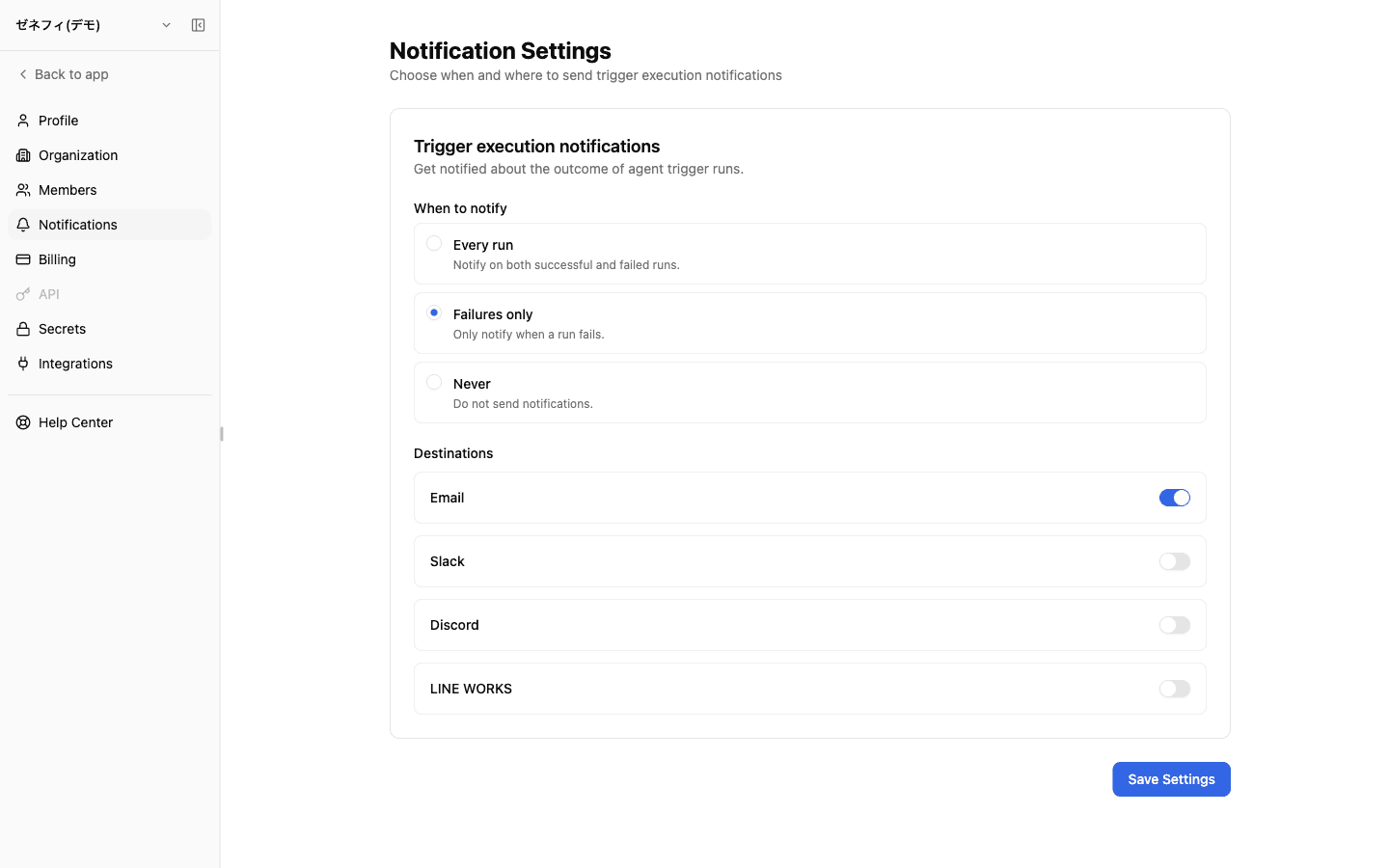
- Executor's personal default (Settings → Notifications): used only when the trigger has no override. It controls timing (every run / failures only / never) and destinations (email / Slack / Discord / LINE WORKS), and does not notify the account owner or other members automatically.
Gotchas:
- Choosing "Never" turns off email too — there is no separate switch for external chat alone.
- Changing a profile resets the channel selection underneath it.
- To toggle Slack/Discord/LINE WORKS on, you must already have created a connection profile under Inbound Channels.
Checklist
Are the frequency, timezone, and minimum interval (≥ 1 hour) consistent with the operating hours and audience?
Do you understand that the trigger holds a snapshot and won't follow the worker's system-prompt changes? Did you re-edit it if needed?
Knowing the execution-time resolution order (per-trigger override → executor's personal default), is the right person — and only the right person — getting notified?