Models
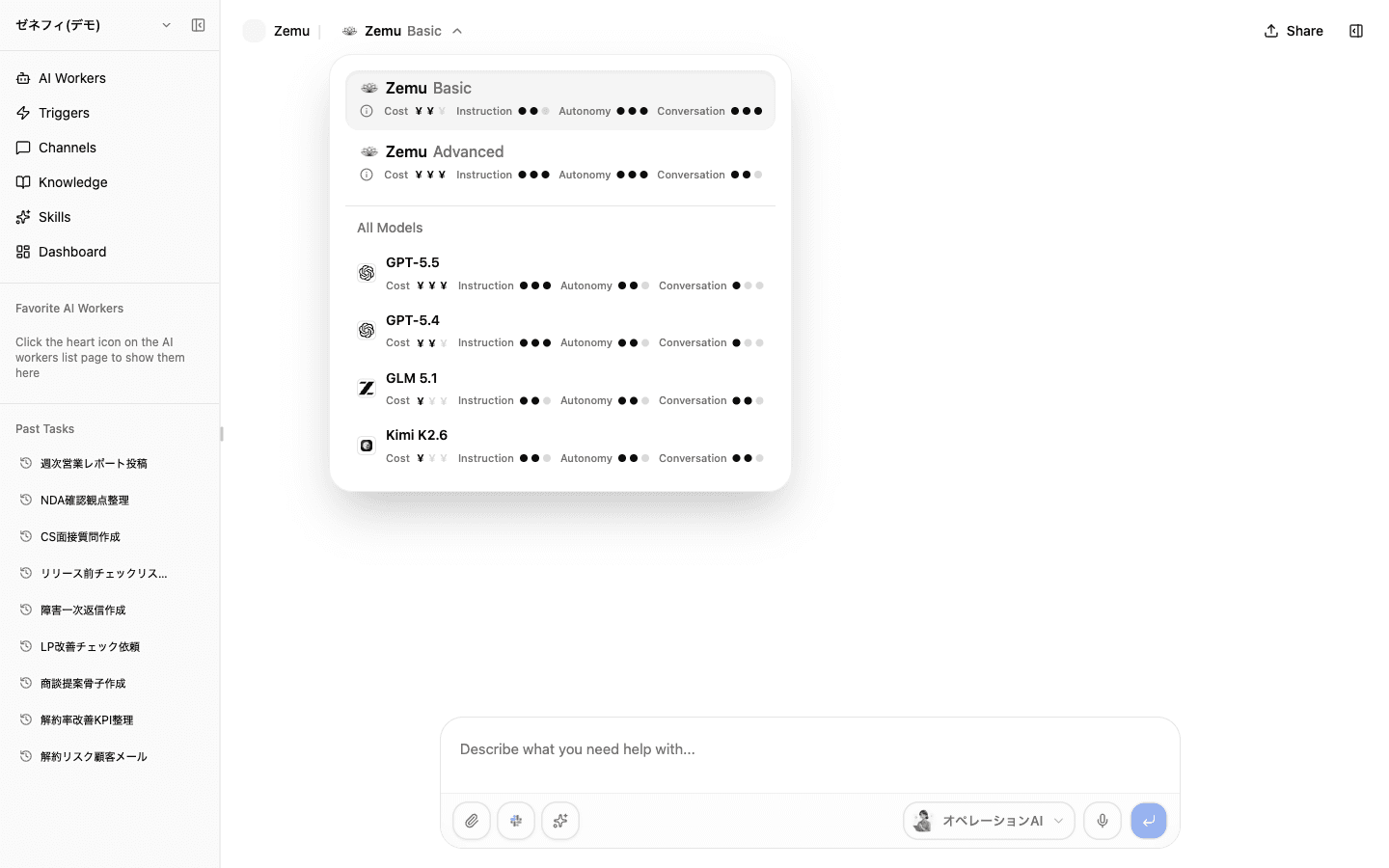
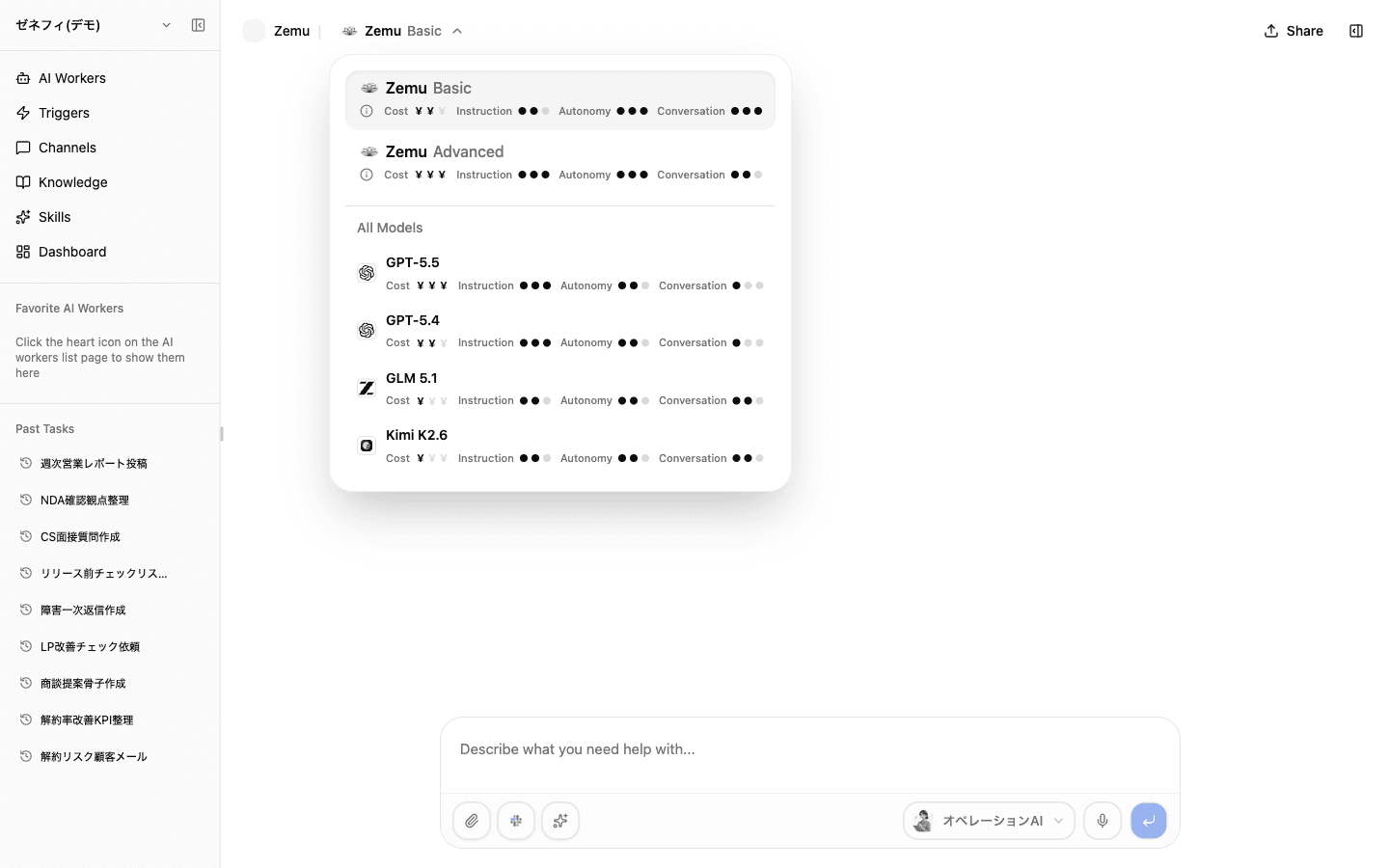
Models are the engines AI workers use to reason, write, and decide how to call tools. Zemu lets you override the model in four places (chat, worker default, trigger, inbound-channel route) and shows them under two presets — Zemu Basic and Zemu Advanced — plus an "All models" list. The traps are reading the four indicators and remembering which override actually wins at run time.
Overview
What the four indicators (Cost / Instruction / Autonomy / Conversation) actually measure, the Basic vs Advanced cost tier, the four override surfaces, and why changing models alone rarely fixes anything.
Basics
What the four indicators really mean (Cost / Instruction / Autonomy / Conversation)
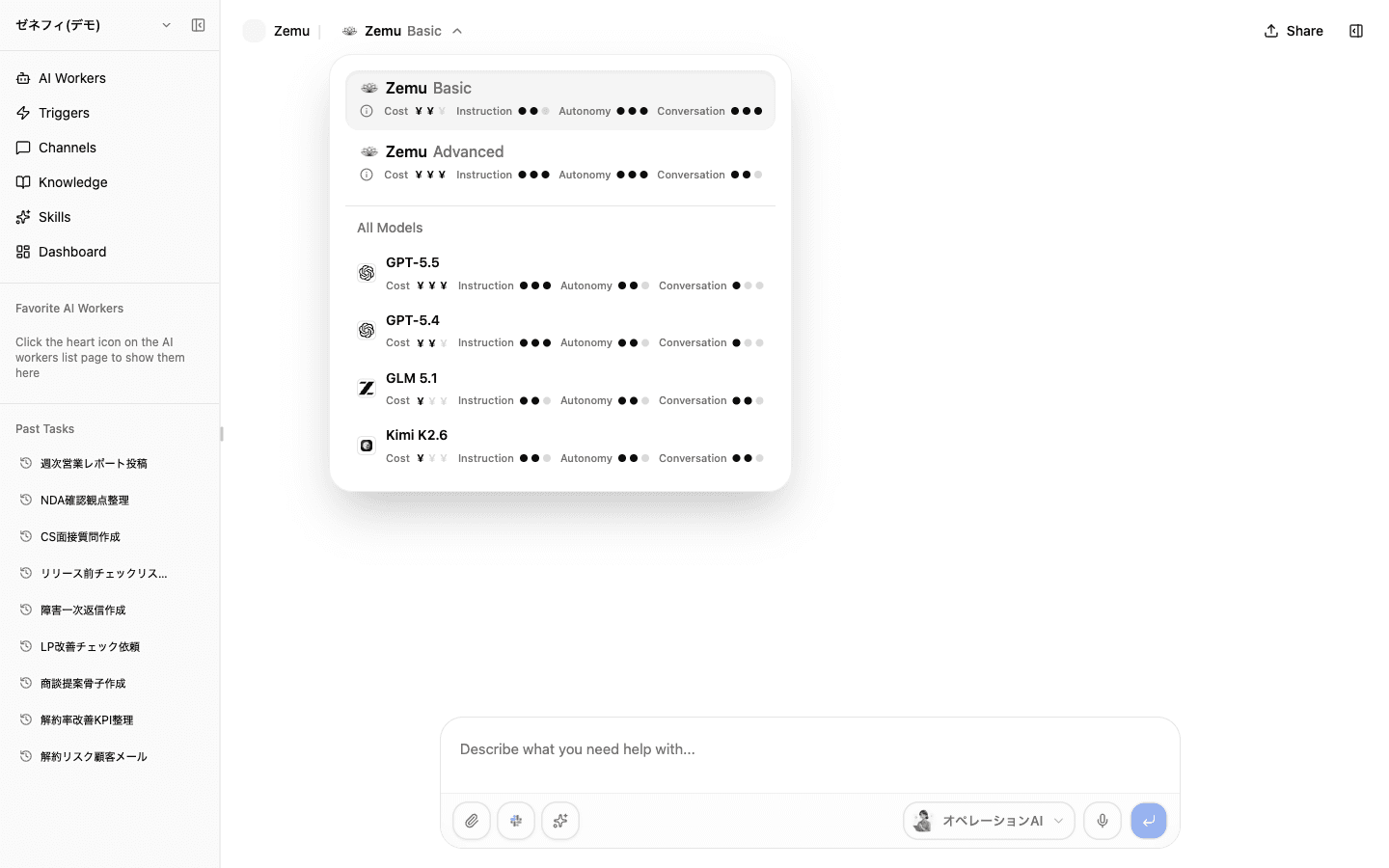
Each model card shows four indicators in a row.
- Cost — credit consumption weight. More
¥marks = higher cost tier. Zemu Basic is¥¥, Zemu Advanced is¥¥¥. Read the count, not just "expensive vs cheap." - Instruction — how well the model follows detailed instructions to the end. Critical for complex runbooks and strict format constraints.
- Autonomy — how well the model decomposes a goal and advances work on its own. Matters for long-running tasks and research-style work.
- Conversation — how naturally the model converses. Important for inbound-channel use where the user is a real human.
Each trait is shown as three filled dots out of three. The info icon sits to the left of Cost; hover on desktop or tap on mobile for the full indicator description.
Zemu Basic / Zemu Advanced and the All Models list
The selector splits into two layers.
- Zemu Basic — standard tier for everyday chat, support replies, short summaries, light research. Cost
¥¥. - Zemu Advanced — for long-document organization, multi-condition decisions, complex workflows, accuracy-first work. Cost
¥¥¥. - All Models — directly selectable models (Grok 4.5 / GPT-5.6 Sol / GPT-5.6 Terra / Claude Sonnet 5 / Claude Opus 5 / GLM 5.2 / Qwen3.7 Plus / DeepSeek V4 Pro / DeepSeek V4 Flash 0731 / Kimi K3 / Kimi K2.7 Code). Use when you specifically need a model rather than the preset.
Operating guidance: start on Basic, move to Advanced if instruction-following or quality lags, and only drop to "All Models" when you need a specific model's strength or to optimize cost. Basic / Advanced are presets that Zemu can swap underneath you to a better model over time, so for long-lived workers they age more gracefully.
Four places where models can be overridden
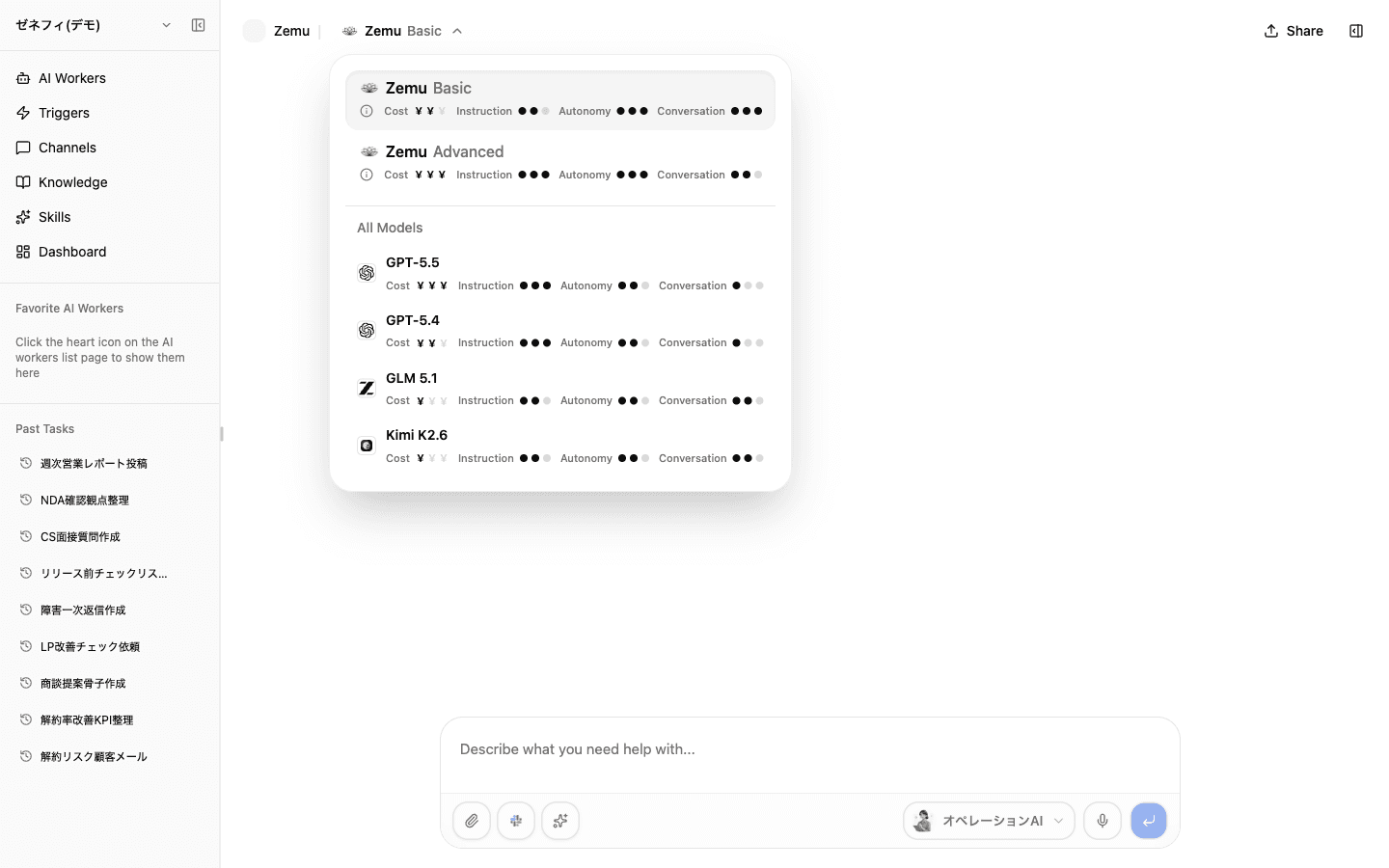
There are four surfaces that can pin a model. Even on the same worker, the model that runs depends on how it was launched.
- Chat-time — the model picker in the chat header overrides for that conversation (highest precedence)
- Per-trigger — the schedule-trigger Execute step or the trigger detail panel can pin a model
- Inbound-channel Route — each Channel Route under Slack / Discord / LINE WORKS has its own "execution model"
- Worker default — the worker's own default model (lowest precedence, fallback)
Resolution order, and why changing models often does not help
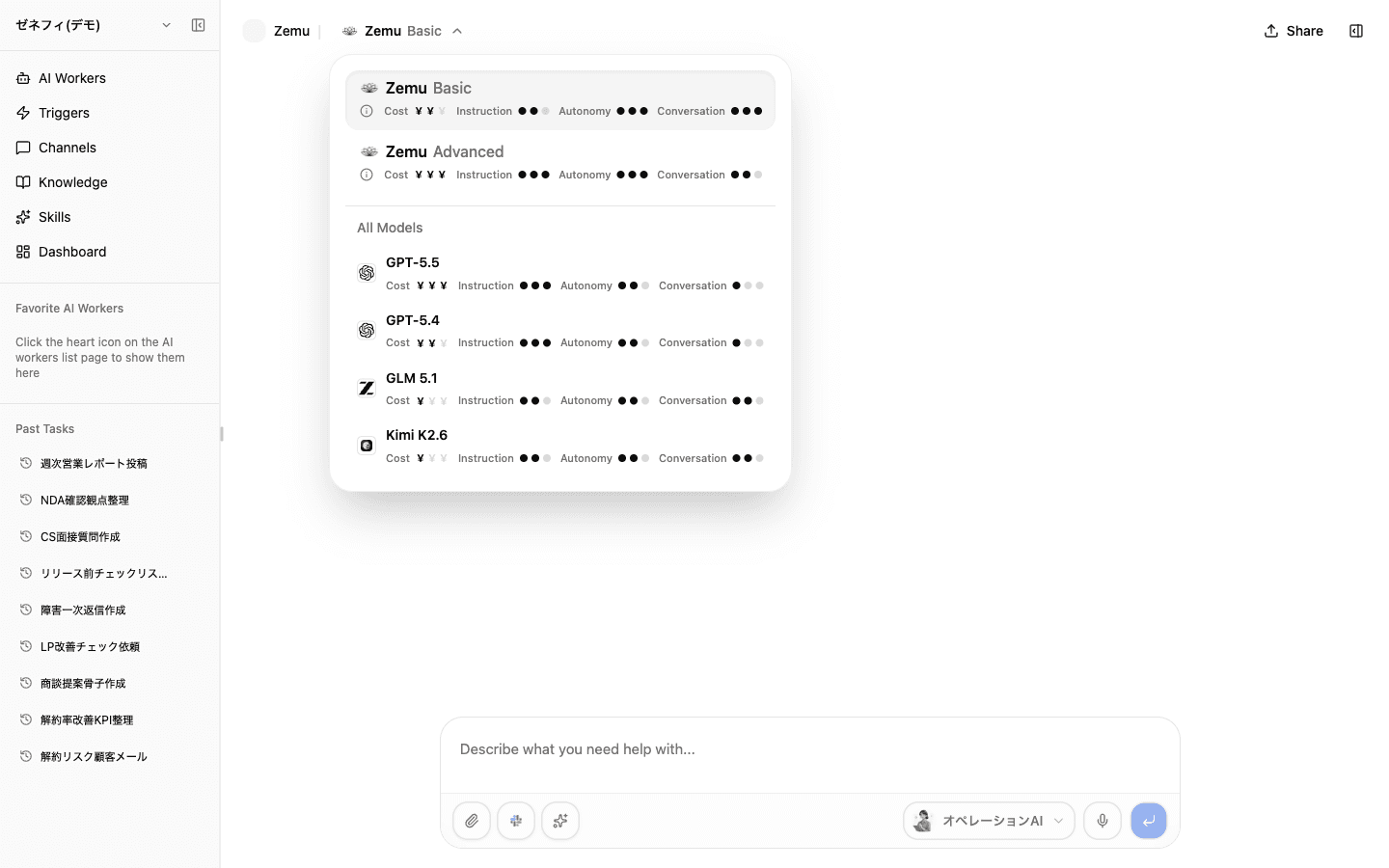
At run time the model is resolved in this priority:
- Chat-time override — explicitly set on this conversation
- Trigger / Inbound-Channel-Route override — pinned for that surface
- Worker default — fallback when no override exists
When "changing the model didn't help" it usually means model is not actually the bottleneck. Check these four first:
- Instructions — is the prompt internally consistent and explicit about format?
- Knowledge access — is
knowledge-manager(or another knowledge skill) enabled, and can the worker actually reach the relevant nodes? - Skill assignment — are the right built-in / custom skills enabled?
- Integration permissions — are the external services attached on the worker?
With those right, Basic vs Advanced becomes a pure tradeoff between accuracy / speed / credits, which you choose by how important the task is.
Checklist
For each worker, can you say whether it is meant to run on Basic, Advanced, or a specific model — and why?
If the same worker is launched from chat, a trigger, and an inbound channel, do you know which model each path uses?
Before changing a model, do you check instructions, knowledge access, skill assignments, and integration permissions first?