Restore deleted Workers, save files to Knowledge via MCP, AI meeting summaries
Screenshots
Changes
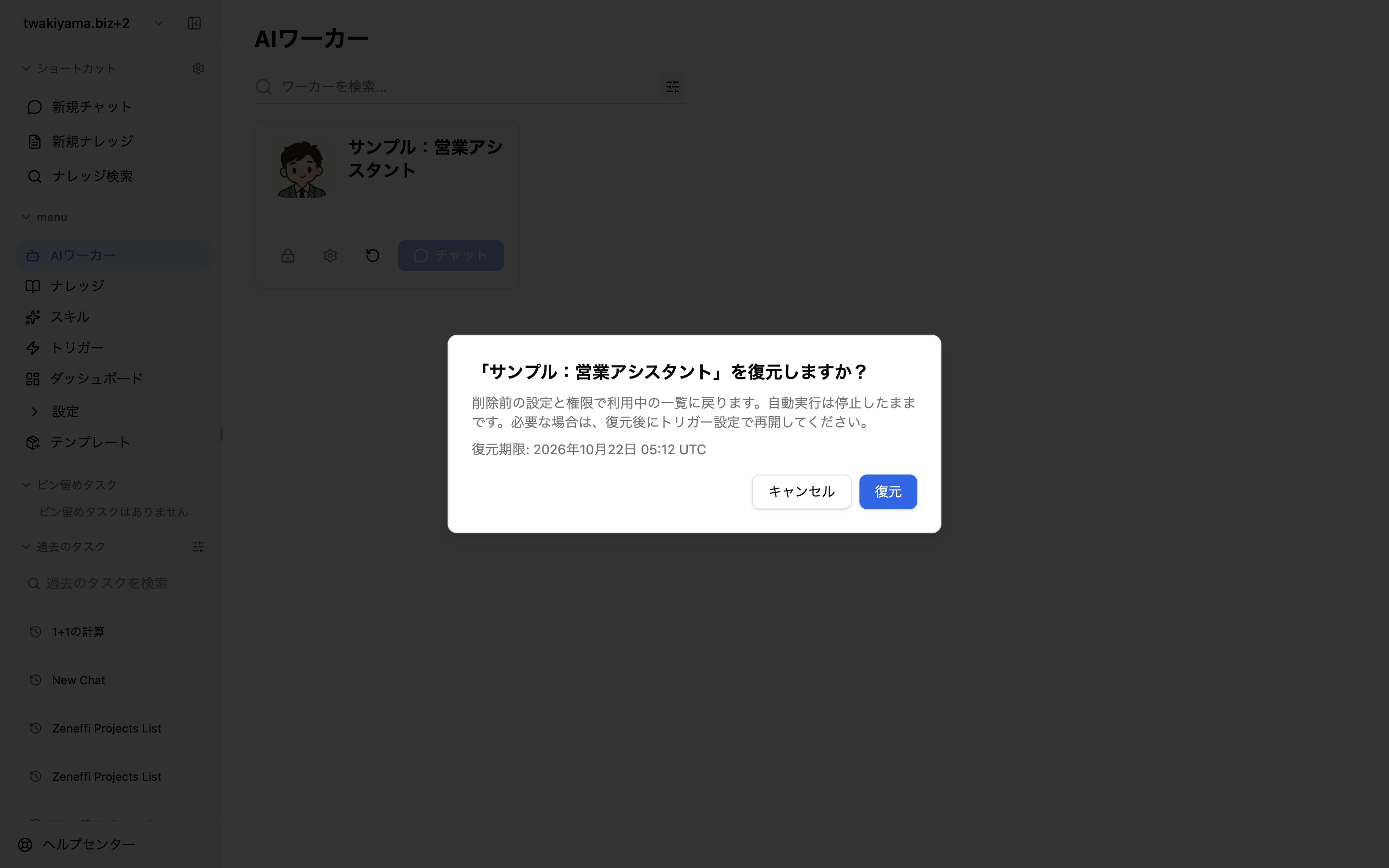
Deleted AI Workers are kept for 7 days and appear when you select "Deleted" in the list filter. Users with edit permission can restore them with their settings and sharing intact. Triggers that were stopped at deletion stay stopped after restore, so re-enable them if needed.
Regular-size files can now be saved directly to Knowledge via MCP. Saved files inherit the permissions of their destination. If another upload is using the capacity, the status shows "Waiting for capacity" with guidance to retry.
Meeting minutes now get an AI summary organizing the overview, key points, decisions, and action items, with remarks marked "Important" prioritized. Transcription costs 2 credits per 10 minutes of recording, and the AI summary is charged once per meeting and not charged if processing fails. You are notified before starting if your balance is insufficient. Triggers that cannot run due to insufficient credits are now recorded as "Skipped" with the reason, and the next scheduled run is kept.