Back to release notes
v1.1.662026.07
A more expressive knowledge editor
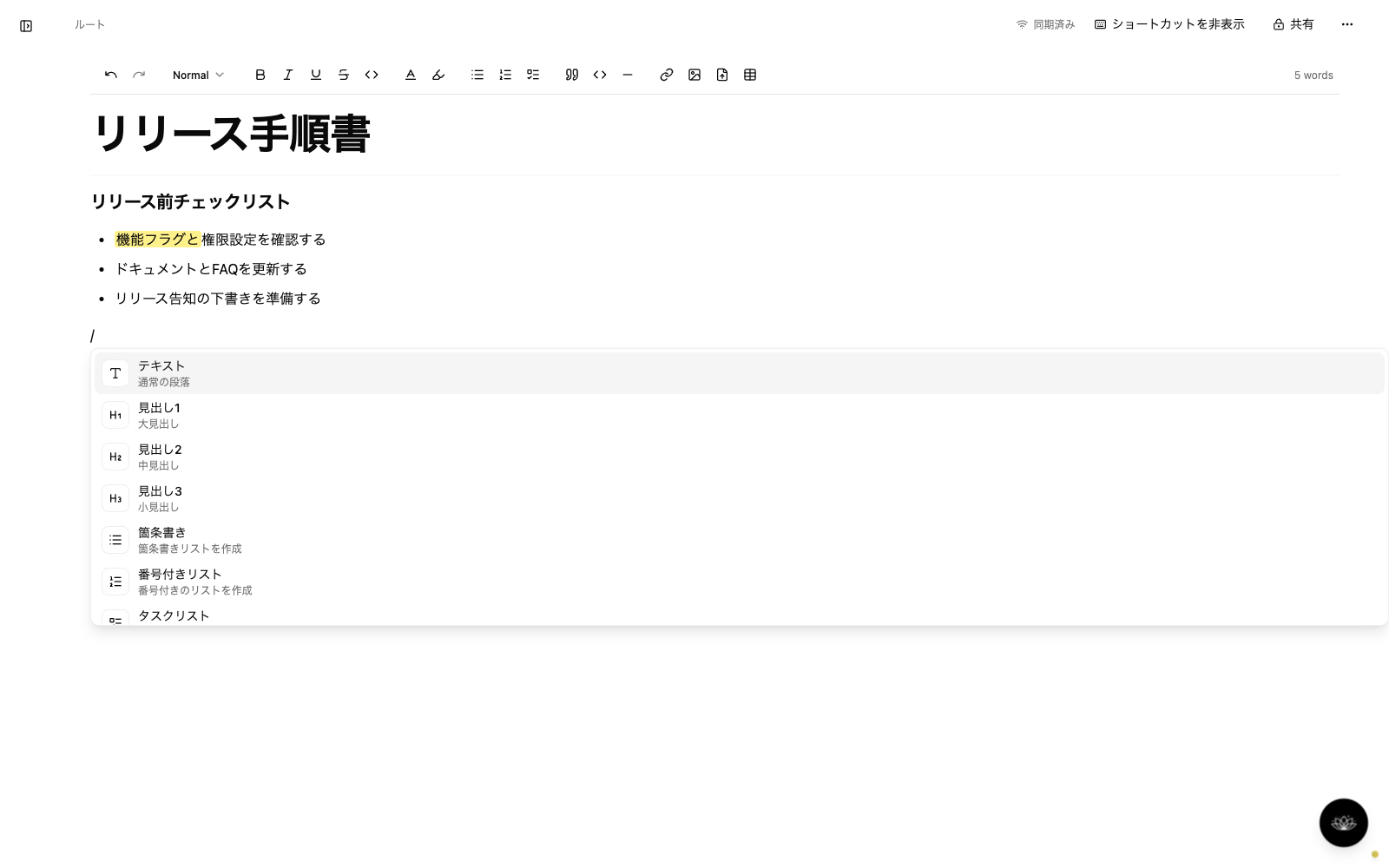
v1.1.66 significantly upgrades the knowledge editor. Switch formatting quickly with slash commands, author Mermaid diagrams with a live preview, and emphasize key passages with text color and highlights. Image resizing and drag-and-drop file uploads are now supported, and a shortcut toolbar for smartphones makes editing on the go comfortable too. In chat, type "@" to search and attach knowledge, version history shows the date and editor's name, and each thread remembers the AI model you last used and selects it automatically when you resume.
Screenshots
Changes
Added slash-command formatting, live preview for Mermaid diagrams, text color and highlights, image resizing, and drag-and-drop file uploads.
Type "@" in the chat input to search and select knowledge, then attach its content as context for the conversation.
Version history now shows the date and editor's name, and each thread remembers the AI model you last used and selects it automatically when you resume.